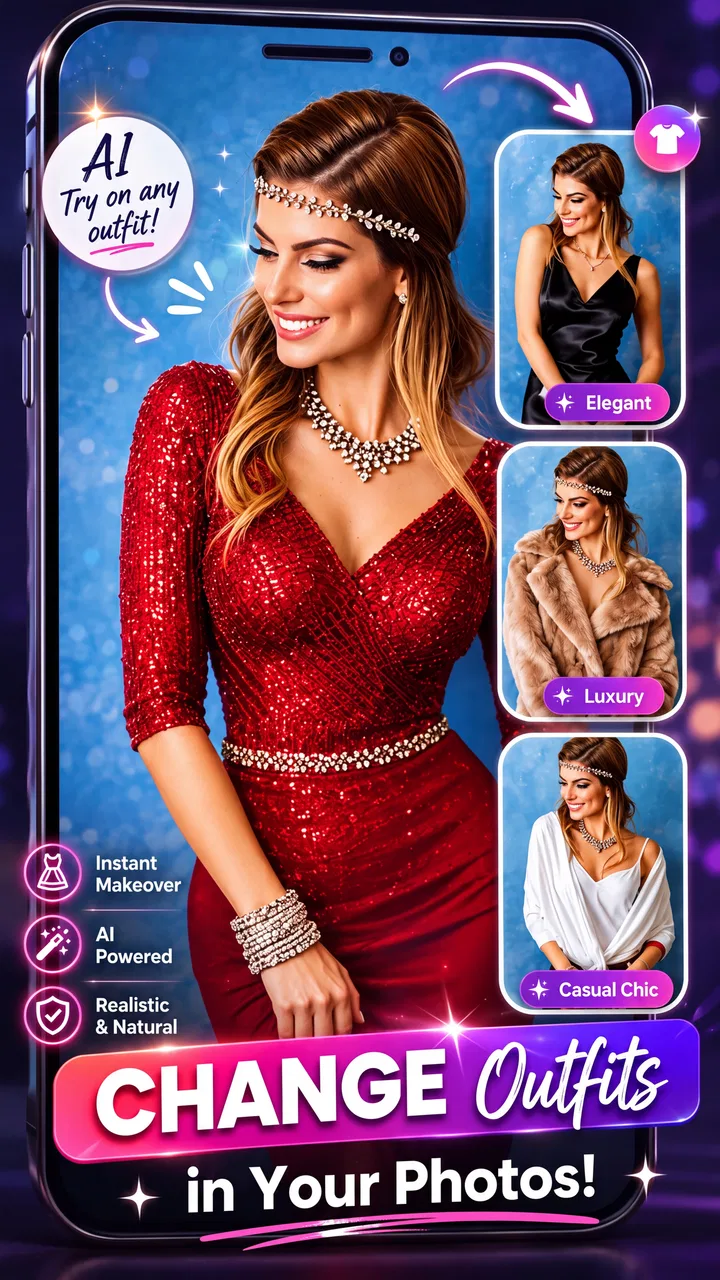
AI Dress up-Try Clothes Design
- 4.3
- Rating
- 1.00M
- Installs
- Free
- Price

 Analysis by App-foxy
I approached AI Dress up-Try Clothes Design as a practical beauty and fashion tool rather than a replacement for a fitting room. Its main appeal is simple: it lets me experiment with clothing ideas through AI before I spend time searching through my wardrobe or browsing shops. That makes it useful for outfit inspiration, style changes, and quick visual experiments, although the results are best treated as a guide rather than a perfect prediction of how fabric will look on a real body.
The app is free to download and is made by Bizo Mobile. It is listed for Everyone, works on Android devices running version 6.0 or later, and has reached over a million installs. Those details make it approachable for casual users, especially anyone with an older compatible phone who wants to try virtual styling without committing to a paid fashion service from the start.
My overall impression is that the app is most valuable when I use it to narrow down ideas. It can help answer questions such as whether a certain cut feels like “me,” whether two clothing directions are worth exploring, or whether a familiar outfit could look different with another style. It is less convincing when I expect precise tailoring, exact colors, or a dependable substitute for trying on a garment in person.
You May Also Like

 Blood Strike: 2.5 Anniversary
Blood Strike’s Loadouts Turn Every Drop Into a Tactical Gamble
A close look at Blood Strike’s custom loadouts: how fast access to signature weapons reshapes its battle royale rhythm, rewards preparation, and narrows the gap between fights.

 Pandora - Music & Podcasts
Pandora’s Music Is Easy to Start, but Harder to Recover
Pandora’s strength is its low-effort path from a seed to a station. Its weak spot is how much confidence it asks you to place in connection, setup, and quiet recovery.

 8 Ball Pool
 Is Built on Rivalries, Rematches, and Routine
A close look at the rivalries, rematches, shared routines, and unanswered safety questions that turn a quick pool match into a persistent mobile community.

 Samsung Music
’s Quiet Strength Is Playing What You Already Own
Its reach comes less from spectacle than from dependable access to a personal library. That simplicity is both the app’s strongest retention engine and its ceiling.

 AccuWeather: Weather Radar
AccuWeather Review: A Quick, Clear Forecast for Everyday Decisions
For everyday plans, the best forecast is the one you can understand quickly. AccuWeather makes rain timing, radar, and local conditions easy to act on, with a few trade-offs.

 Hill Climb Racing
Why Hill Climb Racing Still Turns Crashes Into One More Run
A tiny car, a bumpy hill and one more upgrade: Hill Climb Racing keeps resurfacing because its simple chaos makes every near-miss feel personal.
More From Our News Desk
View All News


How the AI styling experience feels in everyday use
I find the everyday appeal of AI styling is less about getting a flawless outfit image and more about turning a vague idea into a choice I can act on. This section looks at how focused experiments, realistic expectations, and a quick check against my own wardrobe can make the experience more useful. It also sets up the question of what a user can actually control while trying it.
Fast enough for casual outfit experiments
The first thing I noticed is that an AI clothing app naturally feels different from a normal fashion catalog. I am not simply scrolling through fixed product photographs. I am asking the app to interpret an image and create a new visual result, so the experience depends on processing rather than instant page changes. That means I approach each attempt with a little patience instead of expecting every idea to appear immediately.
For casual use, that trade-off is reasonable. I can think of an outfit direction, try it, inspect the result, and decide whether it is worth another attempt. The process works best when I keep the goal focused. Trying to explore one clear clothing idea at a time feels more useful than sending a long list of changes and then struggling to understand which part made the result look different.
The most effective workflow is to use each generated look as a decision aid, not as a final image. I look for broad clues: the overall silhouette, the mood of the outfit, the balance between casual and formal, and whether the style suits the occasion I have in mind. Those clues survive imperfect details better than close inspection of sleeves, seams, or jewelry.
A realistic example would be preparing for a dinner when I have several pieces in mind but no clear combination. I can use the app to explore a dressier direction, compare it with something more relaxed, and then return to my actual wardrobe to recreate the strongest idea. That saves time at the planning stage. It does not remove the need to check whether my real clothes have the same shape, material, or fit as the generated version.
What happens during repeated attempts
Heavy use is where expectations matter most. One or two styling experiments are easy to understand, but a longer session can involve repeated image preparation, several clothing concepts, and many comparisons. In that situation, the app becomes more demanding simply because AI image work is more involved than browsing a static gallery.
I would not plan a full wardrobe overhaul around a single uninterrupted session. A better approach is to work in small groups: casual outfits first, then workwear, then special-occasion ideas. This keeps the results easier to compare and reduces the temptation to keep generating variations that do not answer a useful question.
There is also a practical benefit to saving a short list of promising ideas outside the app, such as noting the colors, shapes, and combinations that stood out. That turns the app into part of a styling workflow instead of a stream of disconnected images. If I only generate one look after another without recording what I liked, the novelty can become more entertaining than useful.
Users should also remember that AI styling may emphasize visual drama. A generated outfit can look appealing because the composition is polished, even when the proposed combination would be awkward for daily movement or difficult to find in a real store. I use the app to discover a direction, then apply ordinary judgment about comfort, weather, dress codes, washing, and budget.
Stability and recovering from an imperfect result
Reliability here is not only about whether the app opens. It is also about whether the generated result remains understandable and whether I can recover when an attempt looks strange. AI fashion imagery can produce small inconsistencies: a garment may not sit naturally, a pattern may appear altered, or the relationship between the body and clothing may feel less realistic than expected.
When that happens, I do not treat the image as a failure of my own style choice. I treat it as a prompt to simplify the experiment. A clearer outfit concept, a less complicated pattern, or a more ordinary clothing combination is easier to judge. This is one of the most useful habits with the app: if a result is confusing, reduce the number of visual variables instead of endlessly repeating the same request.
That recovery method also helps with comparisons. If I want to decide between two jacket styles, I keep the rest of the idea as consistent as possible. Changing the jacket, color, background, and overall mood at once makes it impossible to know which change improved the look. The app becomes more dependable as a styling aid when I use controlled comparisons rather than treating every generation as a completely new experiment.
For anyone concerned about losing time, I recommend setting a simple stopping rule. After a few useful variations, I move on to the real-world check: look through my wardrobe, search for similar cuts, or write down what I would need to buy. More generations do not automatically produce a better decision.
Older phones, storage, and practical device limits
The minimum operating system is Android 6.0, which gives the app a broad compatibility range. Still, compatibility does not mean every device will feel equally comfortable during image-based work. Older phones may have less generous memory or slower processing, and that can make an AI styling session feel less fluid than ordinary beauty or shopping apps.
I would approach installation with realistic expectations on an older device. Keep enough free space for the app and its working images, avoid running many demanding apps at the same time, and close unnecessary background activity if the phone begins to feel sluggish. These are sensible precautions for any image-heavy tool, but they matter more when I am asking for repeated visual transformations.
Screen quality can influence the review experience too. A small or low-quality display makes it harder to judge subtle differences in fabric appearance, while a brighter, sharper screen makes comparisons easier. I would not make a purchase decision based only on a generated color, because display settings and AI interpretation can both shift what I see.
Battery use is another reason to keep sessions purposeful. I would not claim a fixed battery impact because it depends on the phone and how often the app is used, but repeated image processing is naturally a more demanding activity than reading text. If I am away from a charger, short styling sessions make more sense than treating the app as an all-day fashion workspace.
Where the app fits among ordinary alternatives
The usual alternatives are a mirror, a physical fitting room, a wardrobe-planning notebook, or a standard fashion app filled with retailer photographs. Each option answers a different question. A mirror shows how my actual clothes sit on me. A fitting room shows fabric, weight, movement, and real proportions. A retailer catalog shows what a specific seller offers. This app is strongest earlier in the process, when I am still deciding what kind of look to investigate.
Compared with a mirror, it offers more imaginative distance. I can explore a style I do not currently own, which is useful when I feel stuck in the same combinations. Compared with a catalog, it can be more personal because the focus is on experimenting with a look rather than browsing a fixed inventory. Compared with a wardrobe notebook, it is faster for visual inspiration but less dependable for recording practical details such as garment measurements, fabric care, or exact availability.
That distinction matters for shopping. I would not use a generated outfit as proof that a particular online item will fit. I would use it to identify search terms and preferences: perhaps a shorter jacket, a softer color family, a wider leg, or a more structured silhouette. Then I would check the product information and, when possible, try the garment on normally.
Useful workflows beyond simple dress-up
One non-obvious use is preparing for a specific social setting. Instead of asking for random fashion ideas, I can start with the occasion and use the results to decide how formal I want to appear. This is helpful when the invitation is vague and I want a middle ground between overdressed and too casual. The app does not replace understanding the dress code, but it can make the choice less abstract.
A second useful workflow is identifying style vocabulary. Sometimes I know that my current clothes feel repetitive but cannot describe what I want to change. By comparing generated looks, I can notice patterns in my own preferences: perhaps I consistently prefer clean lines, relaxed layers, stronger contrast, or softer colors. That insight can make later shopping more efficient because I am searching with a clearer idea instead of buying another version of what I already own.
A third trade-off appears when using the app for a major appearance change. It can be emotionally easier to test a bolder clothing direction virtually than to walk into a store and ask for it. That makes the app a low-pressure starting point. At the same time, the distance from reality can encourage unrealistic expectations, so I would follow up with a small real-world experiment, such as borrowing a similar item or trying one new piece rather than replacing an entire wardrobe.
There is also value for users who plan outfits around limited clothing. I can use the app to think in terms of combinations rather than individual purchases. If a generated look resembles pieces I already own, I can recreate the general balance with different garments. This helps prevent the common mistake of treating every attractive image as a reason to buy something new.
Who will enjoy it, and who should skip it
I think the app suits curious users who enjoy visual experimentation, people planning an event, and anyone who wants a gentle introduction to AI-assisted fashion ideas. It is particularly useful when the problem is uncertainty: “What direction should I try?” rather than “Will this exact garment fit me?” The free entry point also makes it easy to explore before deciding whether the experience belongs in a regular styling routine.
I would be more cautious if precise fit is the main reason for downloading it. People shopping for tailored clothing, dealing with unusual proportions, or needing dependable information about fabric behavior will get more reliable answers from physical fitting and detailed product measurements. The app is also not the best choice for someone who dislikes generated imagery or wants only verified, real-world products from a retailer.
Cost deserves attention as usage becomes more serious. The app itself is free, but optional in-app purchases range from $0.99 to $189.99 per item. That is a very wide range, so I would inspect each purchase carefully and avoid assuming that every useful styling experiment is included without charge. Casual users should decide in advance how much experimentation is worth paying for, while frequent users should consider whether the benefit justifies the higher-priced options.
The current version is 1.0.62, and the app has an average rating of 4.1 from around 43 thousand ratings, alongside more than 200 written reviews. I read that combination as a sign of meaningful interest with room for mixed experiences. The rating is encouraging, but it is not a guarantee that every device, image, or fashion idea will produce the same quality of result.
My performance verdict after using it as a styling companion
AI Dress up-Try Clothes Design performs best when I give it a focused question, use short sessions, and judge the broad outfit idea rather than tiny visual details. Its perceived speed is acceptable for an exploratory tool, but I would not confuse it with an instant catalog. During heavier use, the sensible strategy is to work in batches, keep the phone free of unnecessary background activity, and stop once the app has helped me make a decision.
Its biggest strength is the gap it fills between imagination and action. A mirror cannot show a style I do not own, while a retailer catalog may show products without helping me picture a complete direction. This app gives me a visual prompt that can make the next step easier. Its biggest weakness is the same thing: a generated image can look more convincing than the real-world clothing experience behind it.
My recommendation is therefore positive but specific. Download it if you want a free way to explore outfit directions, prepare for an occasion, or break out of a repetitive wardrobe routine. Use the results as inspiration, verify important choices with real garments, and keep purchases under control. If you need exact sizing, physical fabric information, or guaranteed product accuracy, a fitting room and a detailed retailer listing remain the better tools.
For me, this is a worthwhile beauty app when used with that boundary in mind. It is not a magic fitting room, and it does not need to be. As a quick visual brainstorming partner from Bizo Mobile, it can turn a vague style idea into something concrete enough to discuss, search for, or recreate with clothes I already have.
FAQs for AI Dress up-Try Clothes Design
01What is AI Dress up-Try Clothes Design app and how does it work?
AI Dress up-Try Clothes Design is a virtual styling app that allows users to try on different outfits using AI technology. By uploading a photo, the app superimposes a variety of clothing items onto your image, giving you a realistic preview of how each outfit would look. This way, users can experiment with styles and find the perfect look without physically trying on clothes.
02Is AI Dress up-Try Clothes Design free to use?
The app offers a free version with basic features, allowing users to try on a limited selection of outfits. However, for access to premium clothing collections and additional features such as personalized styling advice and ad-free experience, a subscription or one-time purchase may be required. Check the app store for detailed pricing information.
03What devices are compatible with the AI Dress up-Try Clothes Design app?
The app is compatible with both Android and iOS devices. It requires Android version 8.0 or later, and iOS version 11.0 or later to function optimally. Ensure your device meets these requirements for a seamless experience. Additionally, a stable internet connection is necessary for downloading and using the app's features.
04How accurate is the clothing fit and style recommendation in the app?
The AI Dress up-Try Clothes Design app uses advanced algorithms to provide accurate clothing fits and style recommendations. While the AI is designed to be realistic, factors such as lighting, angle of the uploaded photo, and personal style preferences can affect the results. It's recommended to use well-lit, frontal photos for better accuracy.
05Is my personal data safe when using AI Dress up-Try Clothes Design?
User privacy is a priority for AI Dress up-Try Clothes Design. The app employs encryption and secure servers to protect users' photos and personal information. Additionally, it complies with data protection regulations such as GDPR and CCPA. Users can review the app's privacy policy for detailed information on data usage and protection.
Pros
- Intuitive interface for easy navigation.
- Wide variety of clothing styles available.
- Realistic 3D modeling enhances experience.
- Regular updates with new fashion trends.
- Customizable avatars for personalized fitting.
Cons
- Limited free features; many items are paid.
- Requires a stable internet connection.
- Some outfits lack detailed customization.
- Occasional lag on older devices.
- Ads can be intrusive during usage.

AI Dress up-Try Clothes Design
Gallery